AEP: Data Lake vs. Profile
When starting to work on Adobe Experience Platform, the key concepts to understand is how the data is stored and what data sources are used by the different AEP application services.
There are two data storage components: Data Lake and Profile.
All data ingested into AEP is stored in Data Lake. This is not the case for Profile — Schemas and Datasets need to be "Profile Enabled" prior to data ingestion for the data to also flow into Profile.
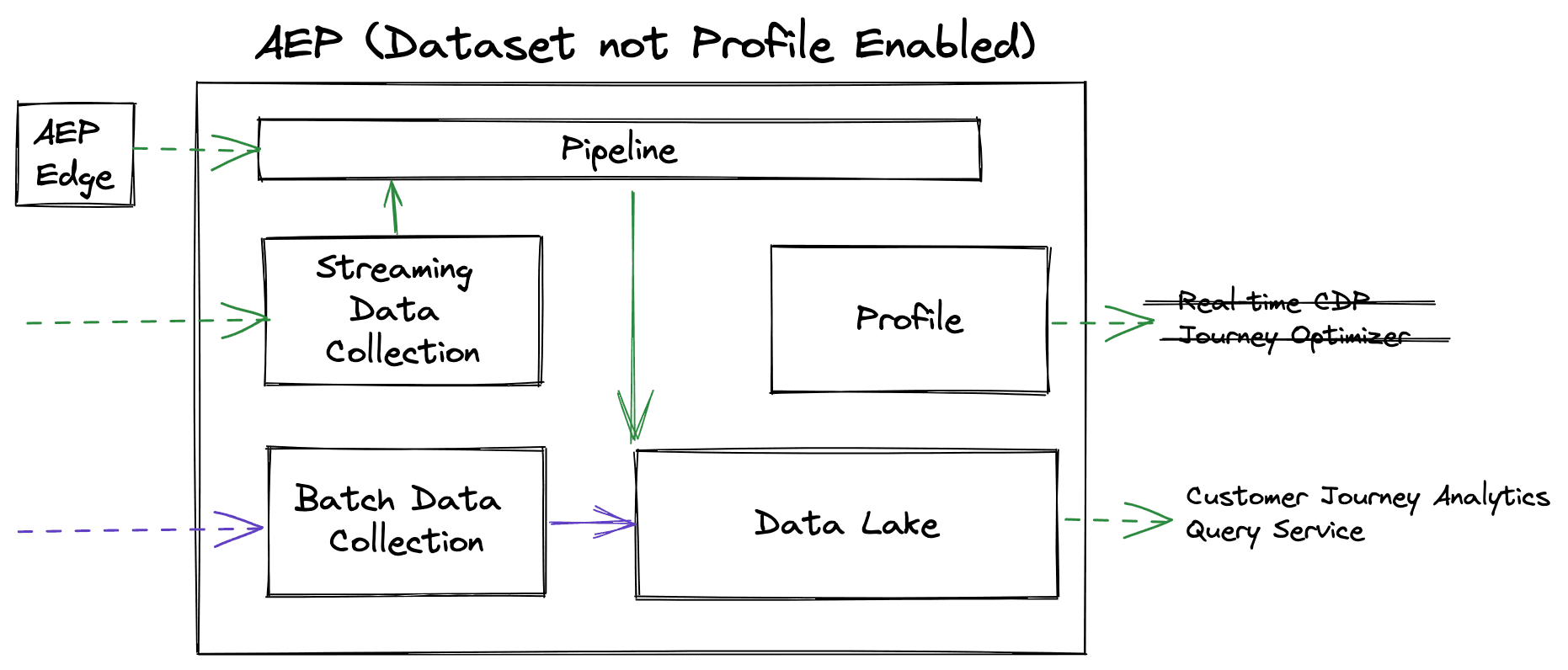
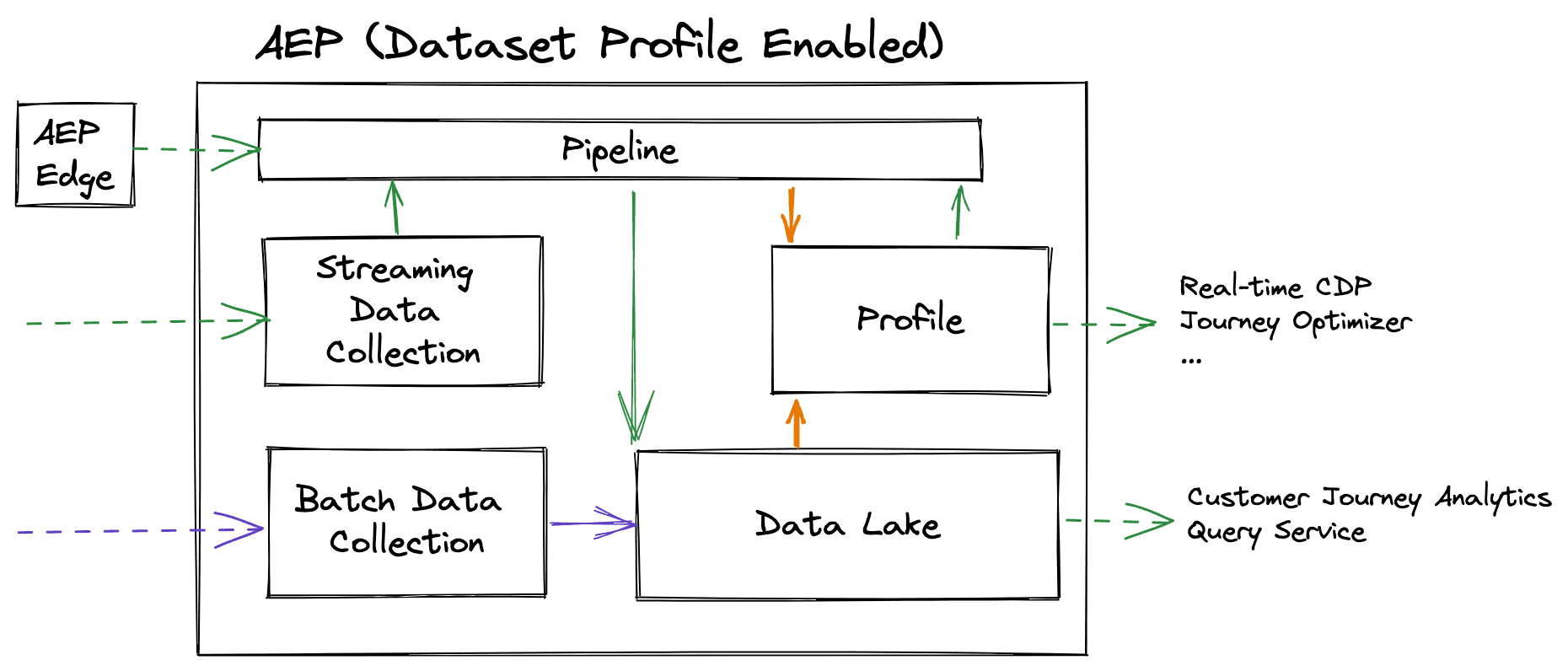
Data Lake contains all the history in your data, including your records-based data and all the changes that have occurred over time as well as all of your events-based data, which is continually flowing into the system.
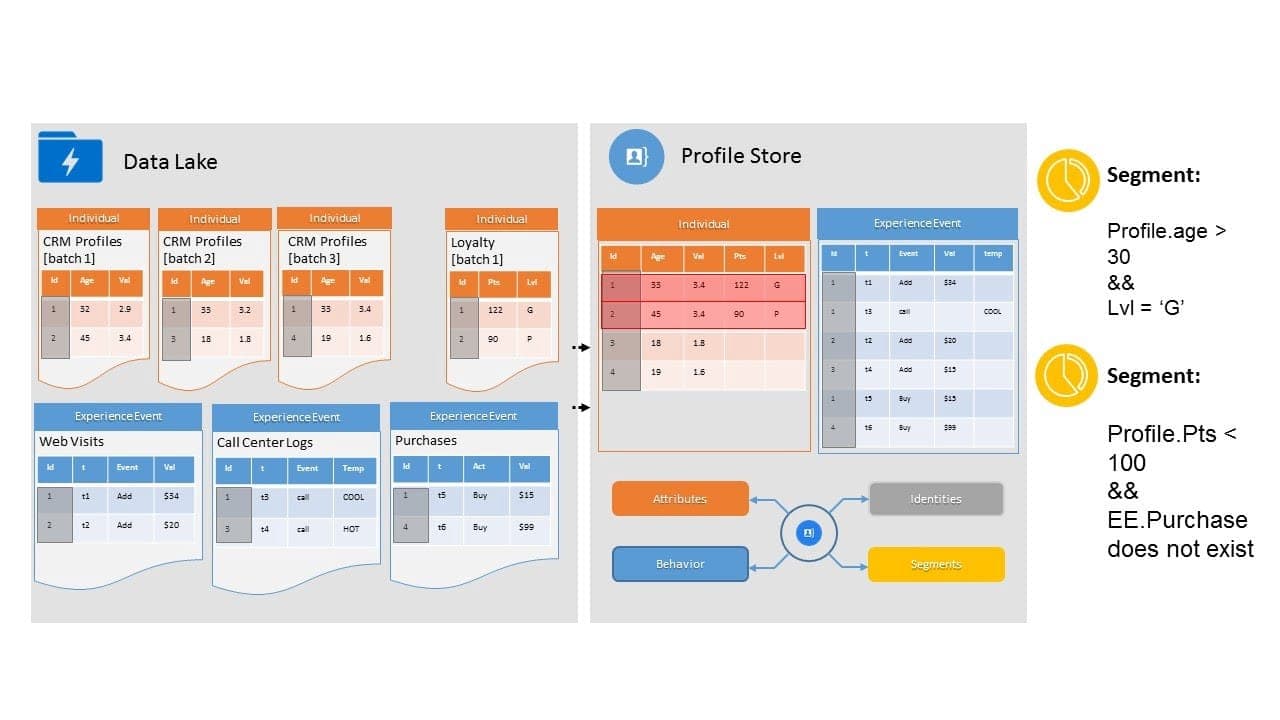
In contrast, Profile (a.k.a Real-time customer profile) keeps only the most recent records and events, which allows it to remain agile in its delivery of profiles for real-time segmentation. When data reaches this stage, the Profile Fragments are unified using the Identity Service and Profile Service to form the most current view of a customer.
Application Services
Data sent to Profile is a precious resource. Therefore, this should be managed carefully considering the use-cases for each application service in scope.
Data Architects will need to decide the Dataset partitioning at the Design stage of the implementation. If ever the incorrect data has entered Profile, you can explore the APIs to delete a dataset or batch from Profile.
For example, imagine that we have a use-case to use Query Service to power a Power BI report. If any additional fields (not required for RTCDP segments) need to be added exclusively for the purpose of this report, then the data should live in a separate Dataset and not enabled for Profile.
| Application Service | Primary Data Store |
|---|---|
| Customer Journey Analytics | Data Lake |
| Real-Time CDP (RTCDP) | Profile |
| Query Service | Data Lake |
| Journey Orchestration | Profile (Segments & Attributes) |
| Journey Optimizer | Profile (Segment & Attributes) |
